> For the complete documentation index, see [llms.txt](https://help.join.com/llms.txt). Markdown versions of documentation pages are available by appending `.md` to page URLs; this page is available as [Markdown](https://help.join.com/help-center/es/post-and-promote-jobs/job-boards/hellowork.md).
# Hellowork
Conecta JOIN con tu cuenta de Hellowork para que tus ofertas en Francia se publiquen en Hellowork automáticamente. Incluye lo que necesitas y los pasos de configuración.
Hellowork es una plataforma francesa de empleo que conecta a empleadores con candidatos activos. Hellowork ayuda a las empresas a llegar a candidatos de su zona, usar recomendaciones de ofertas y aumentar la visibilidad al distribuir las ofertas en plataformas asociadas como Pôle Emploi y APEC.
{% hint style="info" %}
**Quién puede usarlo**
* **Planes:** Todos los planes
* **Roles:** Administradores del sistema
* **Ubicación de la oferta:** Francia
{% endhint %}
{% hint style="warning" %}
Esta integración solo está disponible para empresas con una cuenta y un contrato activos en Hellowork.
{% endhint %}
## Detalles sobre Hellowork
Tipo
Generalista
Grupo objetivo
Todas las profesiones, incluidos empleos indefinidos, prácticas, trabajo temporal y formación en alternancia
Tipos de publicación
Sincronización de ofertas con tu contrato actual de Hellowork
Región
Francia
***
## Conecta JOIN con Hellowork
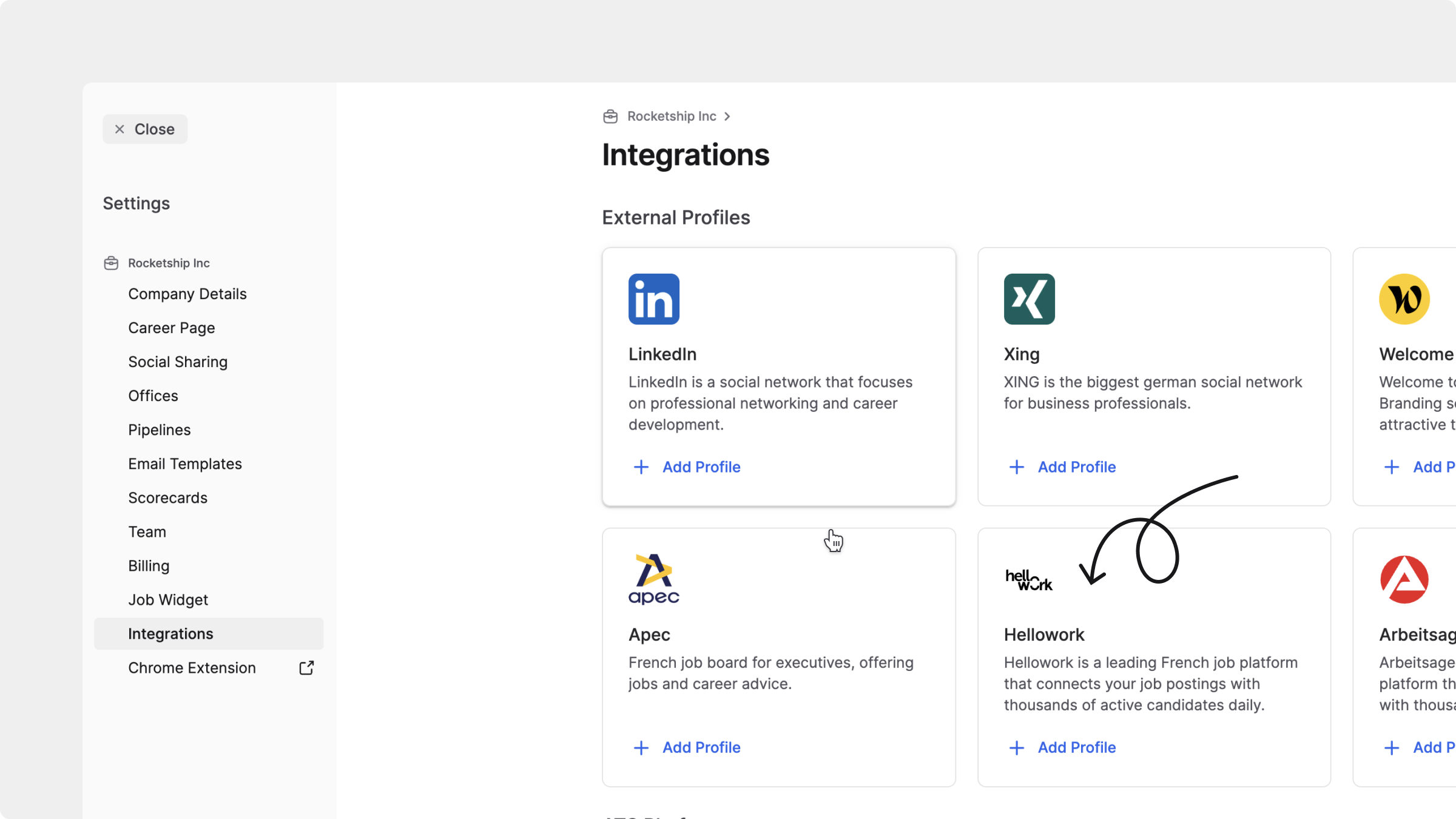
1. En JOIN, ve a `Configuración`, selecciona `Integraciones` en `Plataforma` y, después, `Hellowork`.
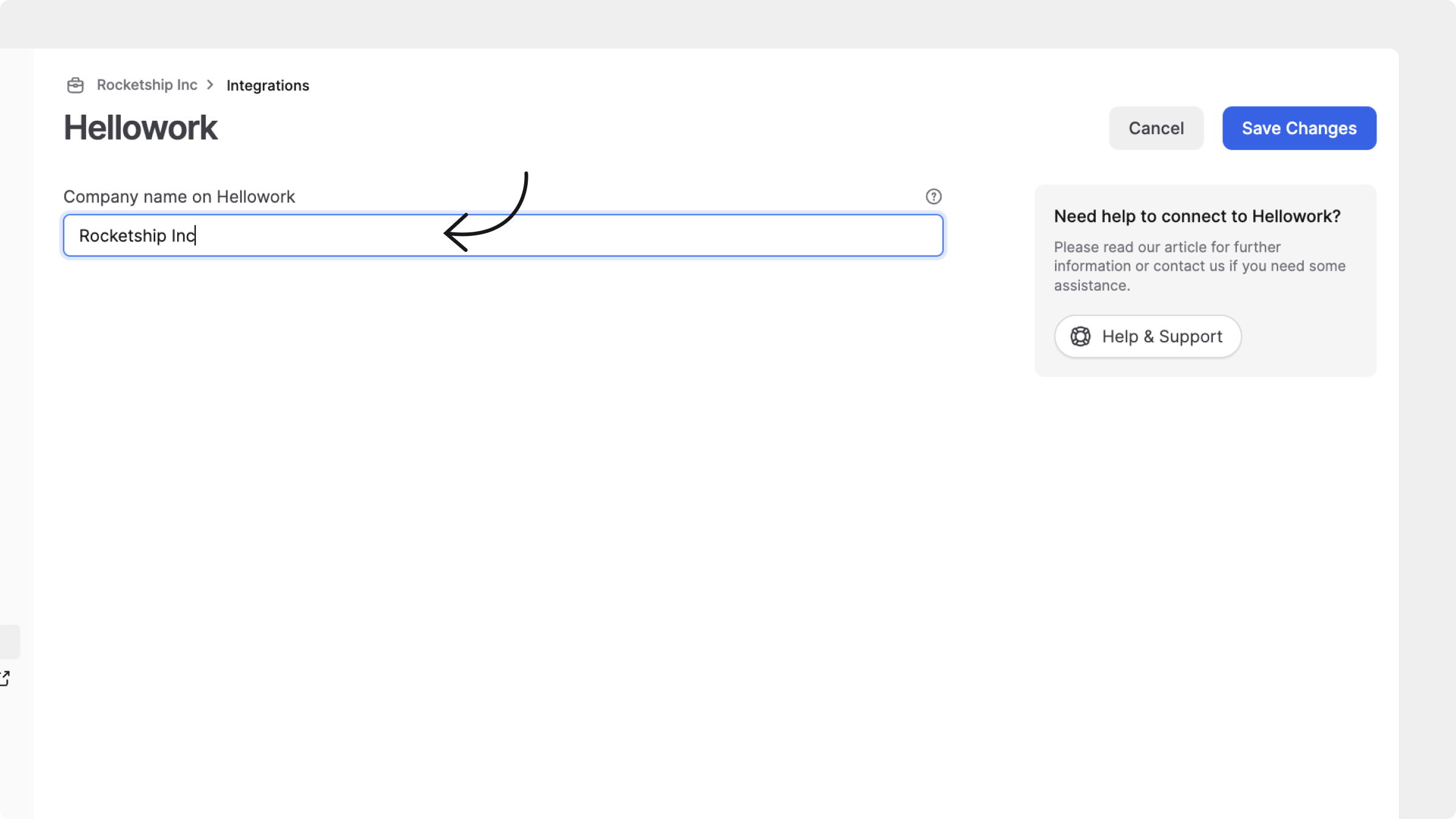
2. Introduce el nombre de tu empresa exactamente como aparece en tu cuenta de Hellowork.
3. Haz clic en `Guardar cambios`.
Conectar Hellowork
Una vez guardado, tu cuenta de JOIN se conectará con Hellowork. Todas las ofertas se sincronizarán automáticamente desde JOIN a Hellowork. Archiva cualquier oferta creada directamente en Hellowork para evitar duplicados.
---
# Agent Instructions
This documentation is published with GitBook. GitBook is the documentation platform designed so that both humans and AI agents can read, navigate, and reason over technical content effectively. Learn more at gitbook.com.
## Querying This Documentation
If you need additional information that is not directly available in this page, you can query the documentation by asking a question.
Perform an HTTP GET request on the following URL with the `ask` and `goal` query parameters:
```
GET https://help.join.com/help-center/es/post-and-promote-jobs/job-boards/hellowork.md?ask=&goal=
```
`ask` is the immediate question: it should be specific, self-contained, and written in natural language.
`goal` is what the user is ultimately trying to achieve, the reason they need the answer. Sharing it helps GitBook give you a better, more relevant answer. A goal is most helpful when it describes the outcome the user wants rather than restating the question. For example, with `ask=how do I create an API token`, a goal like `automate deployments from our CI pipeline` lets GitBook tailor the answer to that use case.
The response will contain a direct answer to the question and relevant excerpts and sources from the documentation.
Use this mechanism when the answer is not explicitly present in the current page, you need clarification or additional context, or you want to retrieve related documentation sections.