> For the complete documentation index, see [llms.txt](https://help.join.com/llms.txt). Markdown versions of documentation pages are available by appending `.md` to page URLs; this page is available as [Markdown](https://help.join.com/help-center/fr/post-and-promote-jobs/job-boards/welcome-to-the-jungle.md).
# Welcome to the Jungle
Connectez JOIN à votre compte Welcome to the Jungle avec votre identifiant client, pour que vos jobs soient synchronisés automatiquement avec WTTJ. Disponible pour les entreprises de tous les pays.
Welcome to the Jungle (WTTJ) est une plateforme de marque employeur en France. Elle aide les entreprises à mettre en avant leur culture, leurs valeurs et leurs opportunités de carrière afin d’attirer les bons candidats, et leur donne de la visibilité sur le marché français.
{% hint style="info" %}
**Qui peut l’utiliser**
* **Abonnements :** Tous les abonnements
* **Rôles :** Administrateurs système
{% endhint %}
Cette intégration est disponible pour les entreprises de tous les pays.
## Détails sur Welcome to the Jungle
Type
Plateforme de marque employeur et site d’emploi
Public cible
Candidats de tous secteurs, avec une part importante de postes difficiles à pourvoir
Types de publication
Synchronisation des jobs avec votre abonnement WTTJ existant
Région
France
***
## Connecter JOIN à WTTJ
{% hint style="warning" %}
Vous devez déjà être client WTTJ avec un compte employeur. Si vous n’en avez pas, vous devrez en créer un.
{% endhint %}
1. Contactez votre account manager WTTJ pour confirmer que votre abonnement est compatible avec l’intégration JOIN.
2. Une fois la compatibilité confirmée, demandez à WTTJ d’activer l’intégration et de vous fournir votre **identifiant client**.
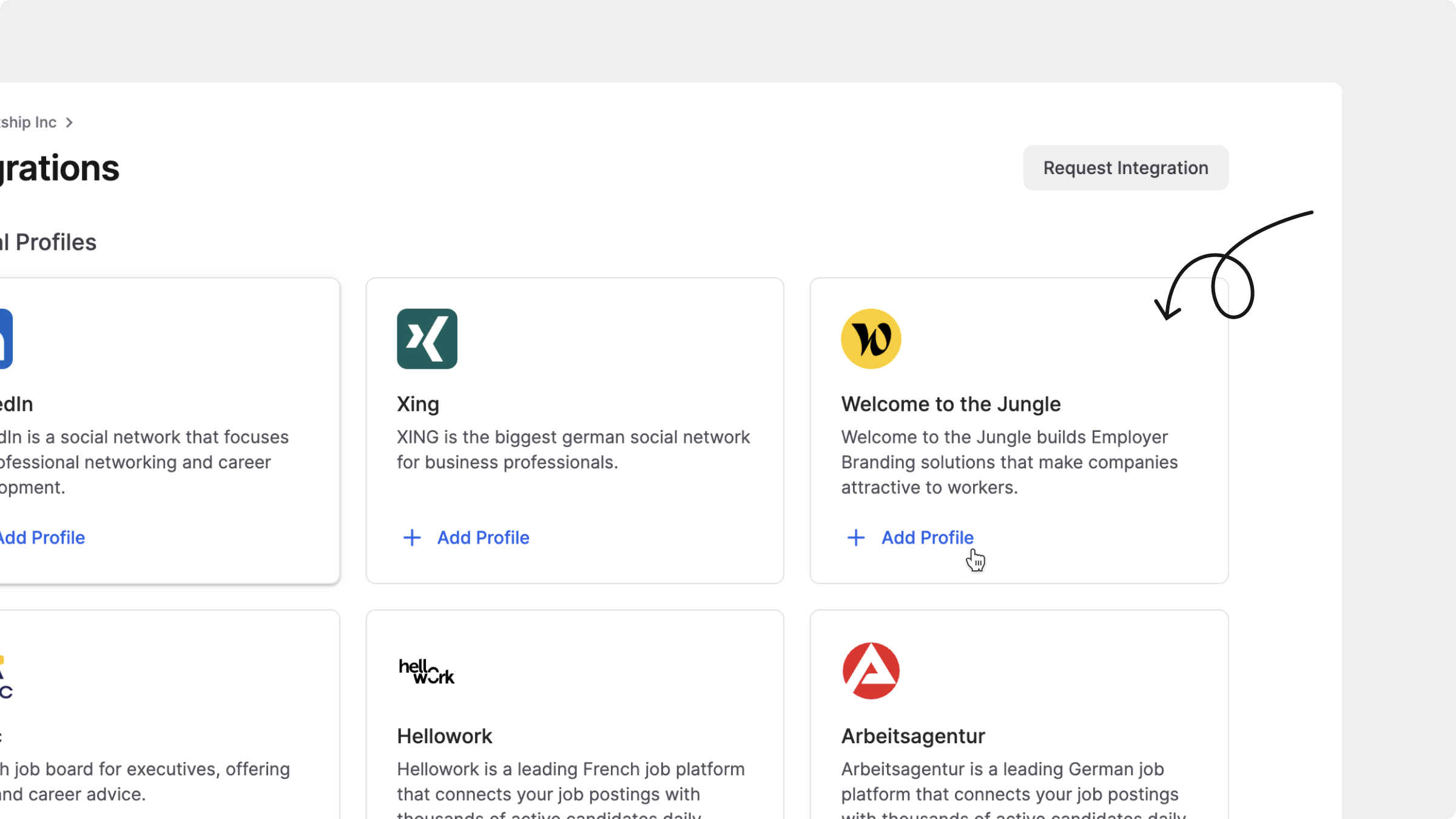
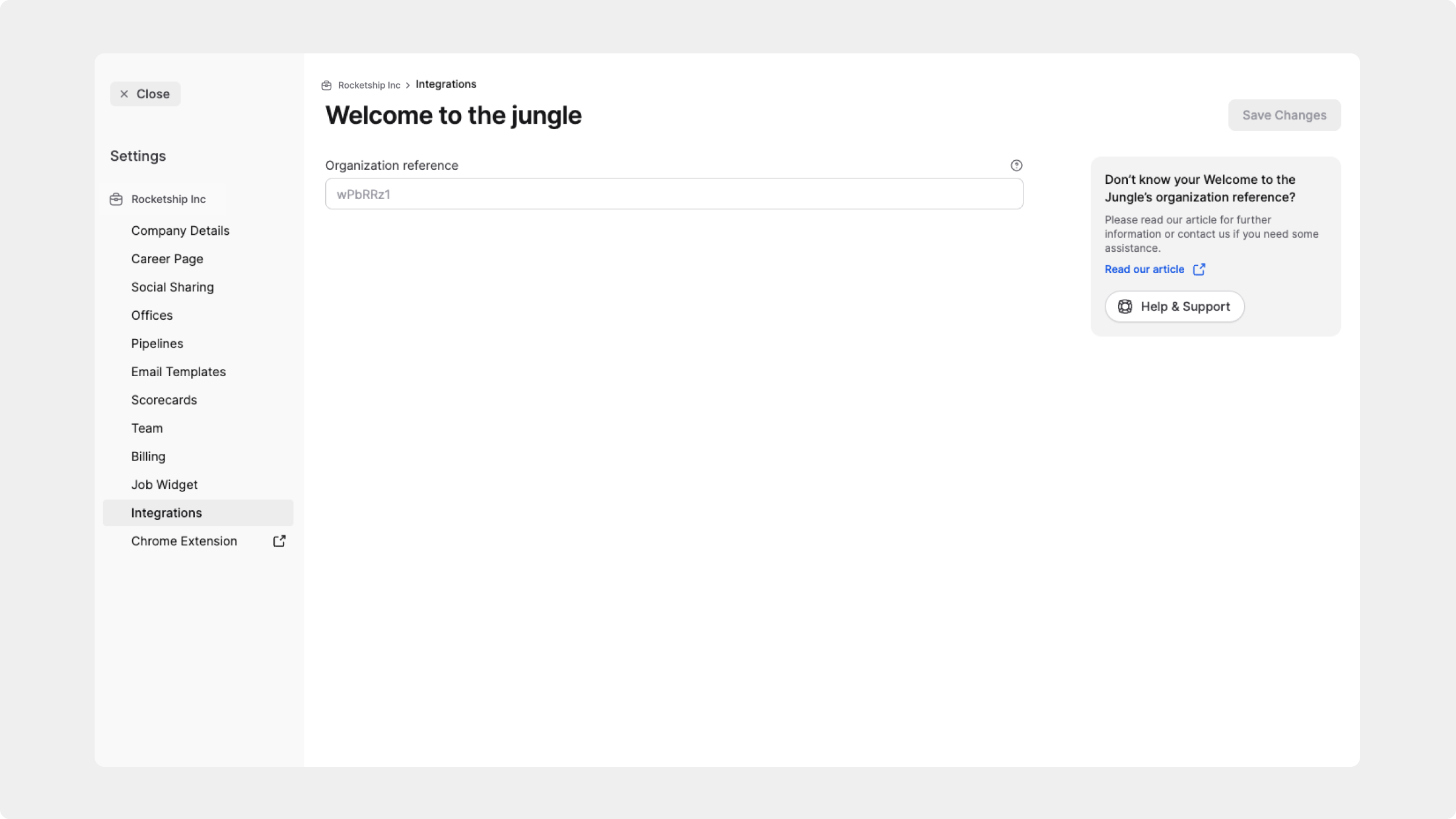
3. Dans JOIN, allez dans `Paramètres`, sélectionnez `Intégrations` sous `Plateforme`, puis sélectionnez `Welcome to the Jungle`.
4. Collez votre identifiant client dans le champ `Référence de l'organisation`, puis cliquez sur `Enregistrer`.
5. Tous vos jobs seront alors synchronisés automatiquement de JOIN vers WTTJ.
Connecter Welcome to the Jungle
Si votre offre WTTJ inclut des crédits Boost[^1], vous pouvez toujours les appliquer dans WTTJ aux jobs synchronisés depuis JOIN.
{% hint style="info" %}
Après l’activation, archivez tous les jobs créés directement dans WTTJ afin d’éviter les doublons.
{% endhint %}
[^1]: Un **crédit Boost** (également parfois appelé crédit « Job Booster ») est un outil de Welcome to the Jungle qui vous permet de promouvoir un job spécifique afin d’augmenter sa visibilité. Voir le [guide Job Booster de Welcome to the Jungle](https://help.welcometothejungle.com/hc/en-gb/articles/6246039675420-How-to-use-Job-booster-to-maximize-the-visibility-of-your-job-posts) :square-arrow-up-right:
---
# Agent Instructions
This documentation is published with GitBook. GitBook is the documentation platform designed so that both humans and AI agents can read, navigate, and reason over technical content effectively. Learn more at gitbook.com.
## Querying This Documentation
If you need additional information that is not directly available in this page, you can query the documentation by asking a question.
Perform an HTTP GET request on the following URL with the `ask` and `goal` query parameters:
```
GET https://help.join.com/help-center/fr/post-and-promote-jobs/job-boards/welcome-to-the-jungle.md?ask=&goal=
```
`ask` is the immediate question: it should be specific, self-contained, and written in natural language.
`goal` is what the user is ultimately trying to achieve, the reason they need the answer. Sharing it helps GitBook give you a better, more relevant answer. A goal is most helpful when it describes the outcome the user wants rather than restating the question. For example, with `ask=how do I create an API token`, a goal like `automate deployments from our CI pipeline` lets GitBook tailor the answer to that use case.
The response will contain a direct answer to the question and relevant excerpts and sources from the documentation.
Use this mechanism when the answer is not explicitly present in the current page, you need clarification or additional context, or you want to retrieve related documentation sections.