> For the complete documentation index, see [llms.txt](https://help.join.com/llms.txt). Markdown versions of documentation pages are available by appending `.md` to page URLs; this page is available as [Markdown](https://help.join.com/integrations/external-profiles/linkedin.md).
# LinkedIn
Set up your LinkedIn integration in JOIN to enable organic and premium postings. This guide covers connecting your company page, enabling Easy Apply, and managing your integration settings.
### Connect your LinkedIn to JOIN
{% hint style="info" %}
To publish jobs on LinkedIn via JOIN, your JOIN account must be connected to your verified LinkedIn Company Page. This is a **mandatory** requirement set by LinkedIn.
{% endhint %}
If a job is posted without a connected company page, LinkedIn may take the job offline without notice or prevent it from being published in the future. Connecting your page ensures your job ads are properly attributed, remain visible, and reach relevant candidates.
Follow these steps to connect your LinkedIn
1. Log in to your JOIN account
2. Go to the `Settings` tab
3. Click `Integrations` in the sidebar menu
4. Select `LinkedIn` and click `+ Add profile`
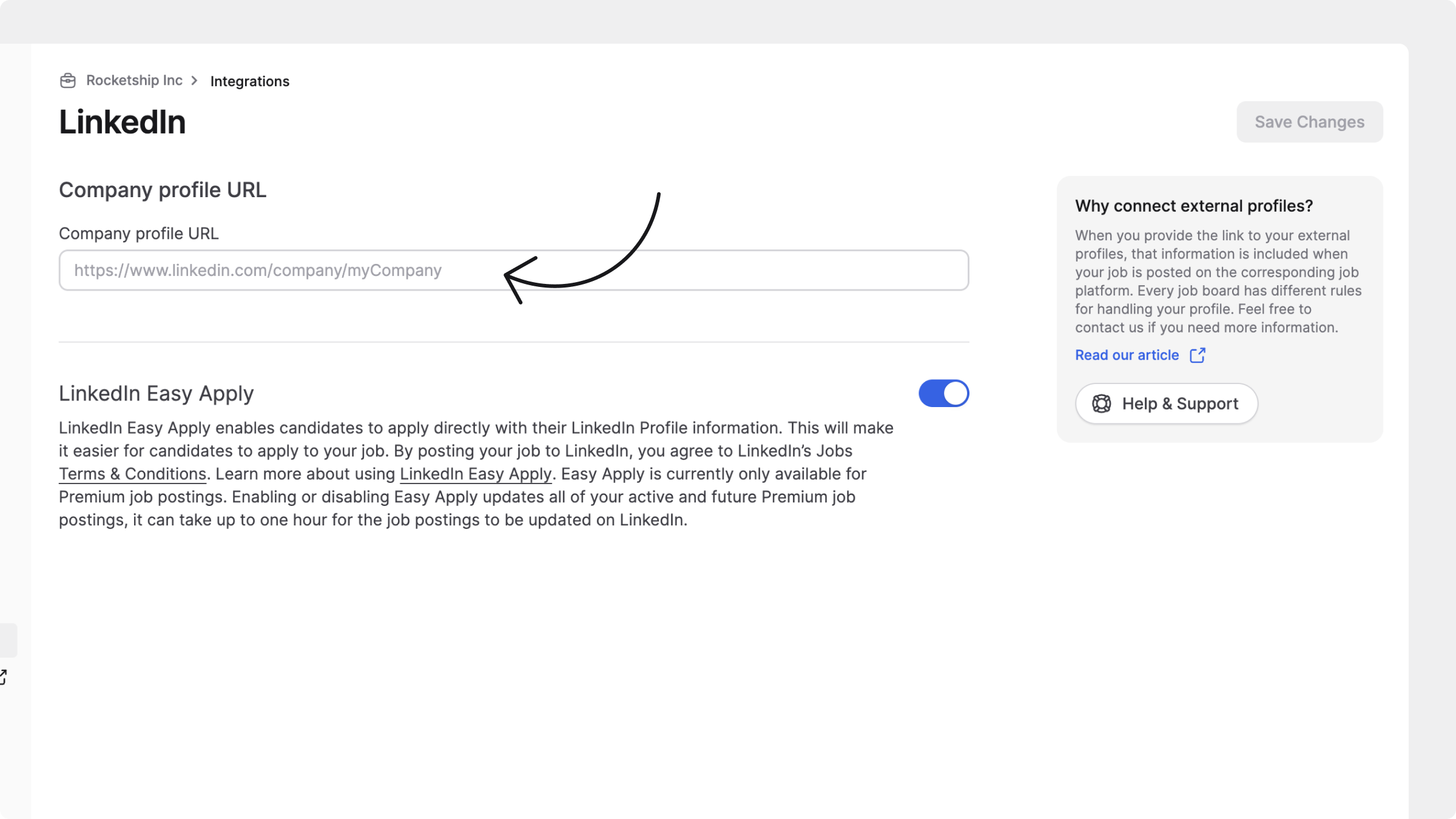
5. Paste your LinkedIn Company Page URL and click `Connect`
> *Need help finding your Company Page URL?* It usually looks like this: `https://www.linkedin.com/company/your-company-name`
{% hint style="info" %}
One JOIN account can connect only one LinkedIn page and that all jobs in that account are associated with that page.
This is especially consequential for holding companies or organisations managing several legal entities. Organisations that need separate LinkedIn pages for separate entities to use the appropriate separate-account arrangement can contact our support team to confirm their setup.
{% endhint %}
***
### Creating a LinkedIn Company Page
If you don’t already have a LinkedIn Company Page, you’ll need to create one to post jobs via JOIN. Creating a page is free, quick, and highly recommended. This helps you to:
* Stay visible on LinkedIn: Required for all job ads to remain published.
* Avoid takedowns: JOIN will automatically republish any removed jobs once the Company Page is connected.
* Save time: JOIN handles posting and syncing for you.
* Reach more candidates: Leverage LinkedIn’s wide network of professionals.
* Build trust: A verified Company Page adds credibility to your listings.
* Showcase your brand: Share your company culture, values, and open roles with job seekers.
#### Steps to create a LinkedIn Company Page
1. Log in to your personal LinkedIn account
2. Go to [Create a LinkedIn Company Page](https://www.linkedin.com/company/setup/new/)
3. Follow the setup steps:
* Choose your page type (e.g. Company, Showcase Page)
* Enter company details like name, website, industry, and size
* Upload your logo and cover image
* Add a company description
* Confirm your authority to create the page
For more help, see [LinkedIn’s Company Page guide](https://www.linkedin.com/help/linkedin/answer/a544347)
Once your page is created, return to JOIN and connect it in the `Integrations` section.
***
### Enable basic job posting on LinkedIn
LinkedIn requires Company Page admins to enable basic job posting and approve their connected ATS before jobs from JOIN (or your ATS) can appear on LinkedIn. This is a one-time setup in your LinkedIn Company Page settings.
> **Who needs to do this?** This step is required if you've recently created a new LinkedIn Company Page, or if your company is posting a basic (organic) job to LinkedIn for the first time. Existing customers who have already posted basic jobs through JOIN are usually not affected. Premium job ads on LinkedIn will not be affected.
If your LinkedIn Company Page is connected in JOIN but your jobs aren't appearing on LinkedIn, this is the most likely cause. Follow the steps below to resolve it.
{% hint style="info" %}
You'll need **admin access** to your company's LinkedIn page to complete these steps.
{% endhint %}
1. Go to your company's LinkedIn page
2. In the left sidebar, click `Settings` (last item in the menu)
3. You'll see a `Job posting` section, click into it
4. Find the `Enable basic job posting` toggle and switch it to `On` . This allows your ATS to automatically post basic jobs on your Company Page
5. Below the toggle, look for `Manage your connected ATS`
* If JOIN already appears in the list, no further action is needed
* If JOIN is not listed, click `+ Connect ATS` and select `JOIN`
Once both settings are active, your jobs will start publishing to LinkedIn through JOIN again.
It can take up to 24–48 hours for your jobs to appear on LinkedIn again.
Newly published jobs will be automatically shared once the connection is active.
If your jobs are still not showing up on LinkedIn, [contact our support team](mailto:contact@join.com), we're happy to help.
{% hint style="warning" %}
*Not a LinkedIn page admin?* Ask an admin at your company to complete these steps. Only Company Page admins can access the `Job posting` settings on LinkedIn.
{% endhint %}
**When is this required?**
| Scenario | Action needed? |
| --------------------------------------------------------------- | ------------------------------------------------------------ |
| Existing company that has posted basic jobs before | Usually no. Your settings are likely already in place |
| Newly created LinkedIn Company Page | Yes. Enable the toggle and connect JOIN as your ATS |
| First time posting a basic (free/organic) job via JOIN | Yes. Enable the toggle and connect JOIN as your ATS |
| Changed your LinkedIn Company Page URL in JOIN | Possibly if the new page hasn't had basic jobs posted before |
| Company with an active LinkedIn Job Slots or Recruiter contract | Usually no |
***
### LinkedIn Easy Apply
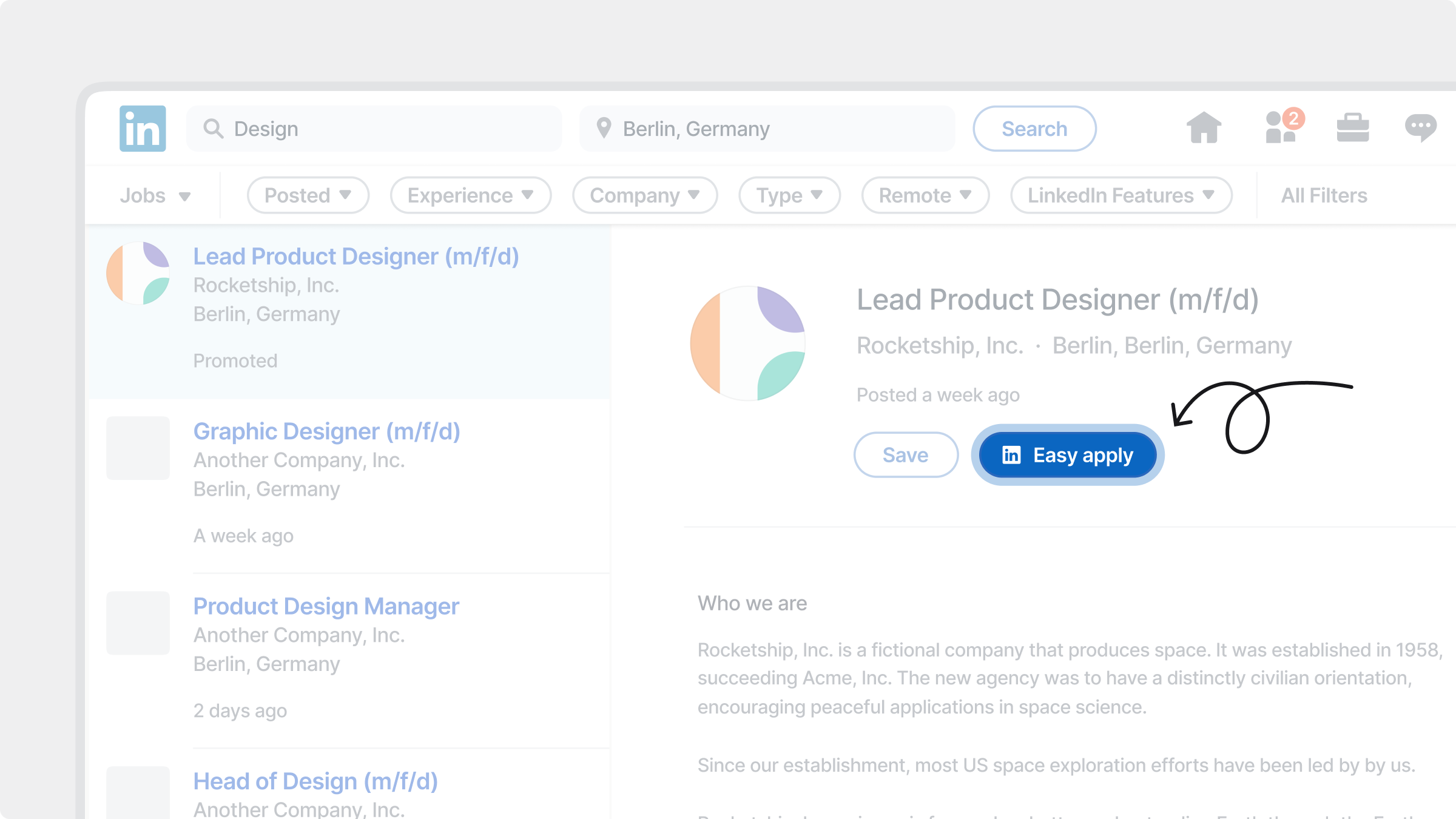
Easy Apply on LinkedIn is a feature that simplifies the job application process for candidates by allowing them to apply directly on LinkedIn using their profile information. It is automatically enabled for all promoted job ads on LinkedIn via JOIN.
#### Benefits
When a candidate clicks the `Easy Apply` button on your promoted job ad, LinkedIn uses their profile to pre-fill the application form. This includes their name, work experience, education, and other profile data — making the process faster and easier for them. Key features for candidates are:
* Quick application: The entire process happens on LinkedIn — no need to leave the platform
* Profile autofill: Fields are automatically completed using the candidate’s LinkedIn profile
* Editable application: Candidates can review, update, and add additional info before submitting
{% hint style="warning" %}
LinkedIn Easy Apply is only available for premium job ads posted on LinkedIn via JOIN.
{% endhint %}
By streamlining the application process, Easy Apply encourages more candidates to complete their applications — especially on mobile. This can help improve the volume and quality of applications for your roles.
***
### Manage LinkedIn Easy Apply settings
{% hint style="info" %}
LinkedIn Easy Apply is turned on by default for all promoted LinkedIn job postings through JOIN.
{% endhint %}
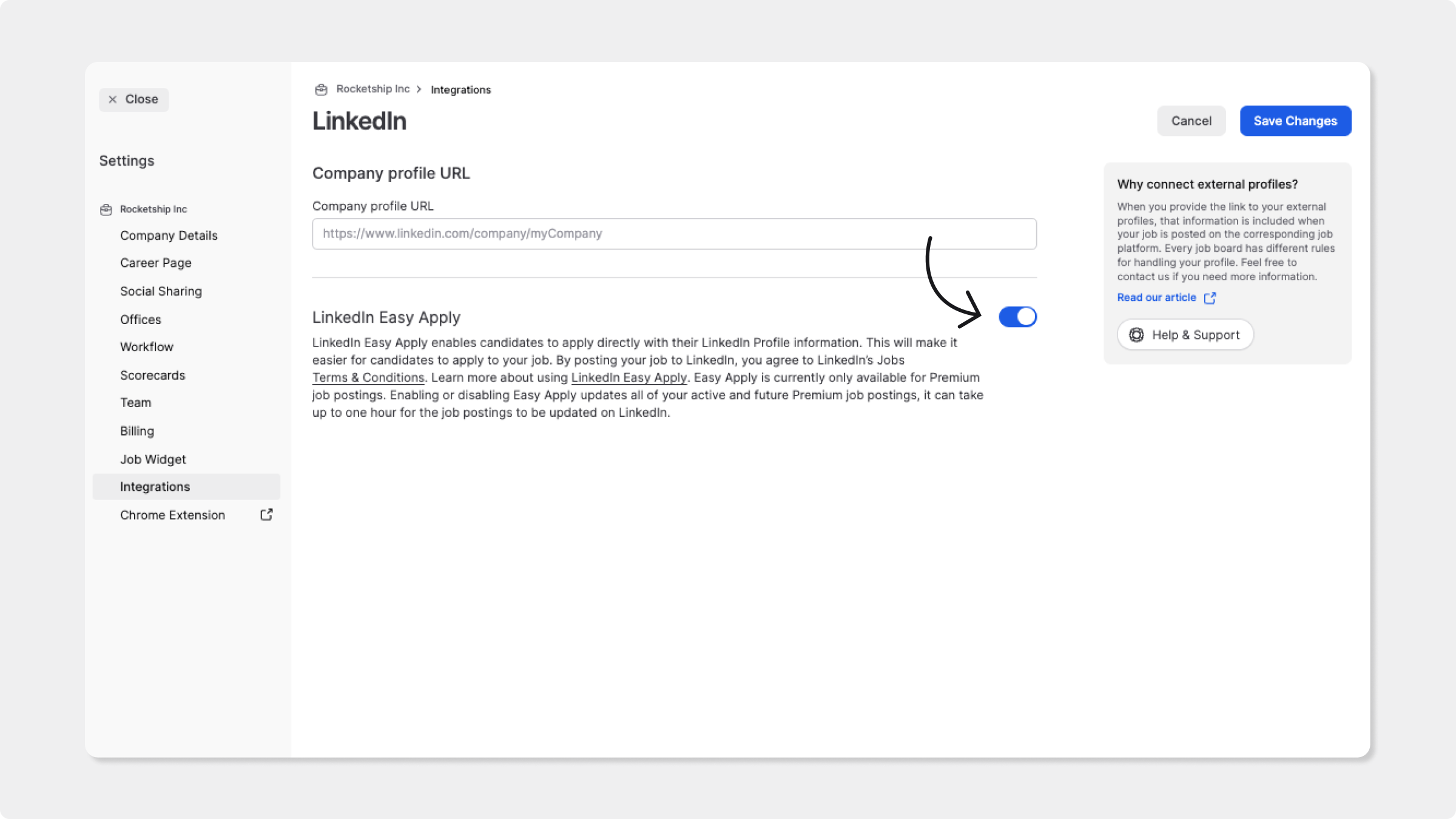
To disable Easy Apply for future promoted posts:
1. Go to the `Settings` > `Integrations`
2. Select `LinkedIn`
3. Toggle off the `LinkedIn Easy Apply` switch
4. Click `Save Changes`
Changes apply to all current and future promoted jobs. It may take up to one hour for updates to reflect on LinkedIn.
***
### Replace or remove a LinkedIn Company Page
{% hint style="warning" %}
You cannot replace or remove an already connected LinkedIn company page in JOIN.
Contact [our support team](mailto:contact@join.com) to request this change and provide them with the currently connected company page URL and the new replacement URL.
{% endhint %}
After our team updates your Company Page, jobs can take up to **24–48 hours** to publish on the replacement page. Then, check your company page’s `Jobs` section. Don't hesitate to reach out if jobs are still missing.
Turning off `LinkedIn Easy Apply` only changes the application method for promoted jobs. It does not remove your Company Page or disable LinkedIn distribution.
For a newly connected Company Page, or one that has not previously published a basic (organic) job, follow [Enable basic job posting on LinkedIn](#enable-basic-job-posting-on-linkedin). A LinkedIn page admin must enable basic job posting and approve or connect JOIN as the ATS. Activation can take a further **24–48 hours** before jobs appear.
If you would like to remove your company page connection and disable LinkedIn distribution for your Join account completely, please contact our team to request this change.
---
# Agent Instructions
This documentation is published with GitBook. GitBook is the documentation platform designed so that both humans and AI agents can read, navigate, and reason over technical content effectively. Learn more at gitbook.com.
## Querying This Documentation
If you need additional information that is not directly available in this page, you can query the documentation dynamically by asking a question.
Perform an HTTP GET request on the current page URL with the `ask` query parameter, and the optional `goal` query parameter:
```
GET https://help.join.com/integrations/external-profiles/linkedin.md?ask=&goal=
```
`ask` is the immediate question: it should be specific, self-contained, and written in natural language.
`goal` is optional and describes the broader end goal you are ultimately trying to accomplish on behalf of the user. GitBook uses it to tailor the answer towards what is most useful for that goal.
The response will contain a direct answer to the question and relevant excerpts and sources from the documentation.
Use this mechanism when the answer is not explicitly present in the current page, you need clarification or additional context, or you want to retrieve related documentation sections.